create theme
make canvas feel like your space
Written By Jake Silver
Last updated About 1 year ago
creating a custom theme in bettercampus lets you make canvas totally yours. instead of sticking with the default look, you can design something that matches your vibe — light, dark, or anywhere in between.
how it works
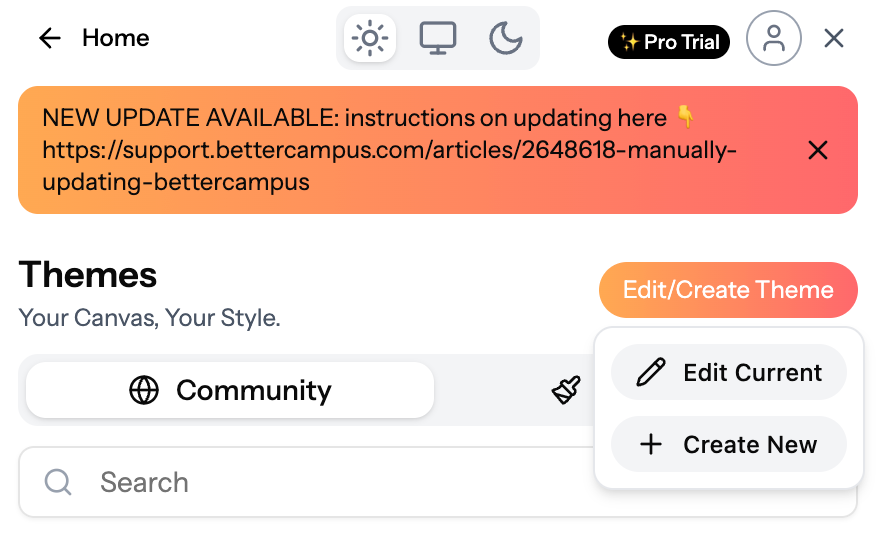
start fresh → pick create theme from your theme menu.
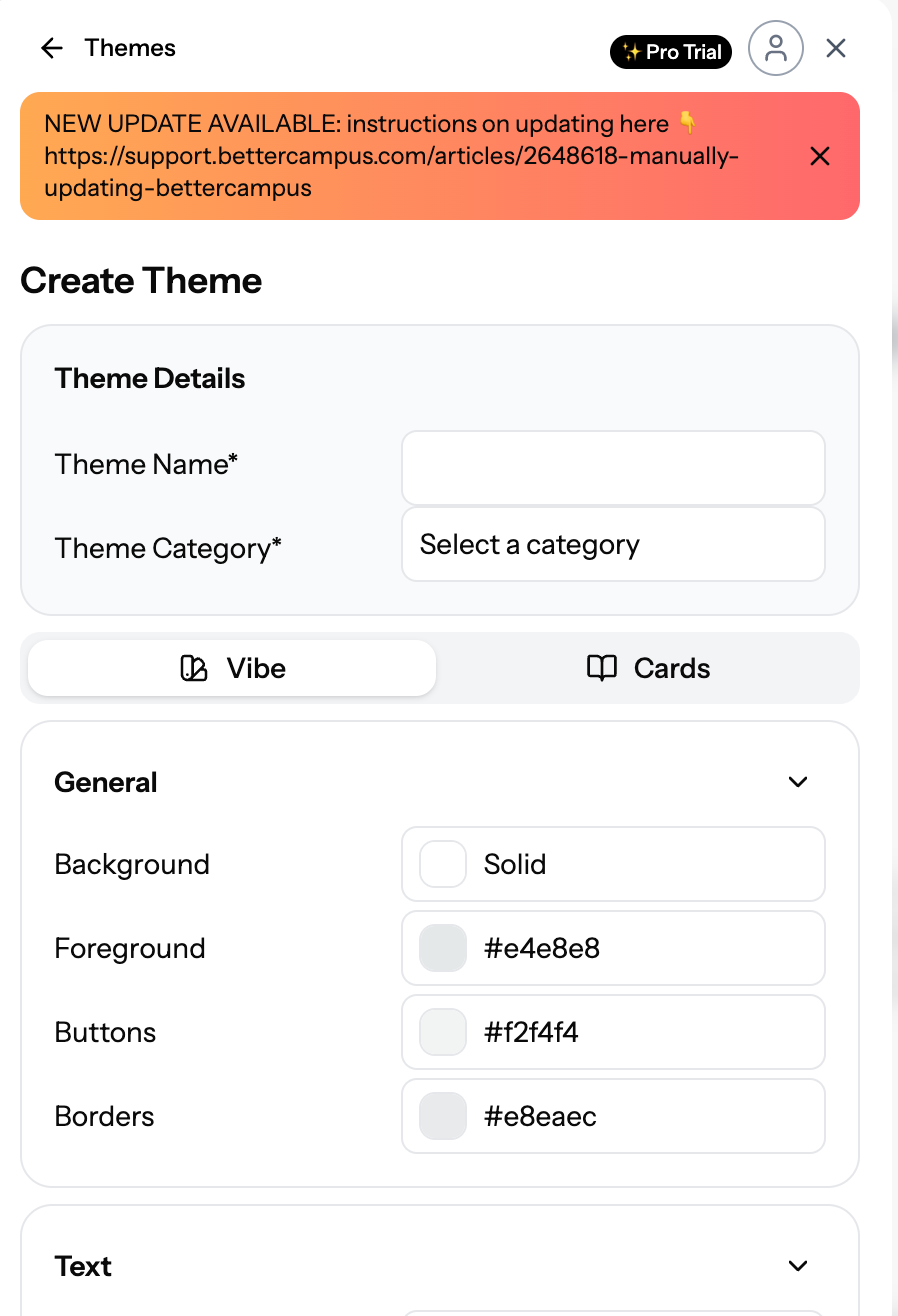
set your vibe → choose your base colors, fonts, and overall mood. we’ll even detect if your style’s more light or dark automatically.
customize your cards → tweak your class cards, backgrounds, and layout until everything feels just right.
save + use → once it’s perfect, save your theme and apply it right away.
light ↔ dark flexibility
made a light theme? flip it to dark mode anytime.
prefer dark? switch to light whenever you want.
pro tip ✨
making your own theme is the best way to fully personalize canvas. and if you ever want to change something, just hit edit — no need to start over.
Was this helpful?
Still need help? Share an idea